
Free STL Viewing Software tools and utilities, revisited.
Posted on Mar 24, 2017
STL checking and viewers. Update.
The landscape for STL viewing and repair software has changes somewhat since our last post.
Netfabb.
The providers of our 'goto' free STL viewing tool, Netfabb, have been taken over and their free desktop product has been discontinued. However it is possible to download the full product and receive a 30day free trail.
https://www.netfabb.com/blog/netfabb-basic-now-just-netfabb
ViewSTL.com
For simply viewing STL files and confirming dimensions and output quality, we currently suggest the browser based www.viewstl.com utility. This is a browser based, client side tool which claims not to upload your files to a server, doing the analysis locally. The tool gives you a visual representation of the file which allows you to confirm the resolution is acceptable and gives dimension and volume information.
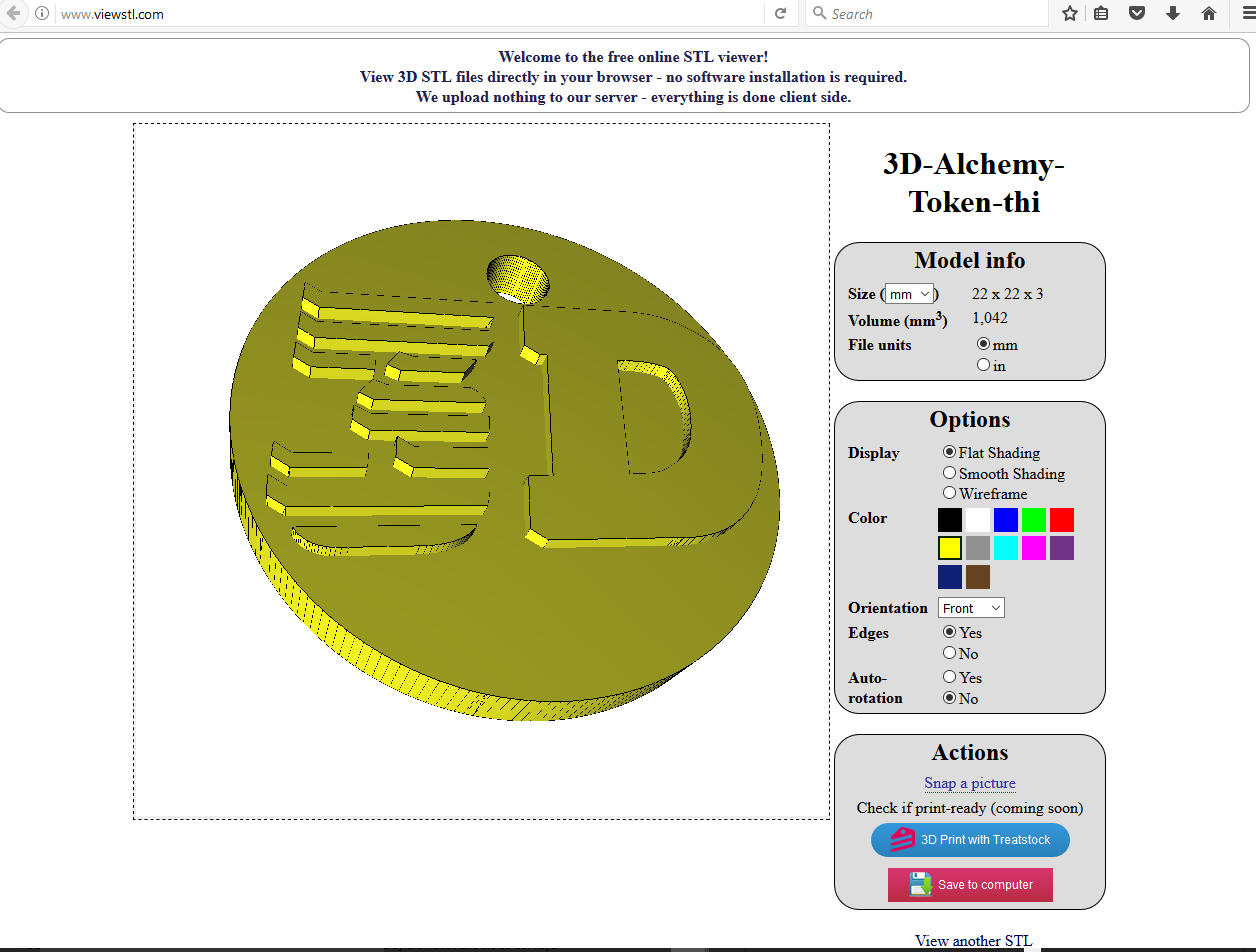
^^ ViewSTL showing a 3D-Alchemy stl file.
MiniMagics.
If you need to take measurements of individual features on your STL we'd suggest minimagics. At the time of writing this is still a free utility but requires registration.
http://www.materialise.com/en/software/minimagics
STL Errors & Repair.
Netfabb used to offer a repair function in their free software but this has now gone away. The alternatives seem to be online, with both Netfabb and Microsoft offering free online repair services, I suspect using the same engine.
Both require a login, but both accept a Microsoft ID:
The Microsoft option: https://tools3d.azurewebsites.net/
Netfabb: https://service.netfabb.com/
For these services you simply upload your file and then download a repaired version. Cursory testing suggests that the Microsoft option is a little faster.
MeshMixer.
Autodesk MeshMixer is a 'beta' utility that imports, manipulates, and converts 3D meshes. One of its more useful features is the "Analysis" tool, which shows areas of a mesh that could cause problems for 3D printing. It also provides a simple repair tool that fixes some of these problems.
MeshMixer is free to download and use, and it runs on Windows and OSX, however it is still in development, hence Beta.
http://www.autodeskresearch.com/projects/meshmixer | http://www.meshmixer.com/
As a generall comment we advise reading the terms and conditions carefully if you are working on commercial projects.
Latest Posts
3D Printed Materials
LATEST WORK
Example objects printed with our 3d printing services:

OUR CLIENTS SAY

"As ever, a fast, accurate and very personal service, which ensured that all our aspirations were fulfilled. Please keep up this excellent service!"
"Great, trouble free service from a competent professional supplier. "